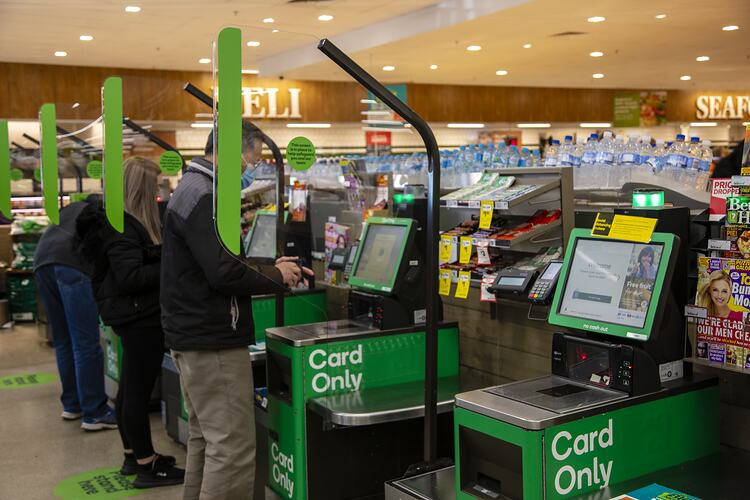
I’m not sure where to even start with this one, I didn’t plan this, it just happened. I ended up with Hard Drives pulled from real supermarket self-serve checkouts in Australia.
What happened?
A couple of years ago, I was building my first Homelab, and I picked up some cheap Dell servers to get me started, all was well.

After I ordered these, I started looking at what I’d need to get a decent Proxmox or Hyper-V setup going, as one of the main reasons I was building a lab was to test High-Availability features.
Since these 2 servers I bought didn’t come with drives, I’d need to provide my own, so I went on eBay and bought 2 of the cheapest 256GB SSD’s that I could find.
I ended up with some used Intel drives, which seemed to be reviewed decently online.

Once they arrived, I threw them into my desktop to format them, expecting they’d be unallocated, or maybe have a thankyou message from the seller on them.
What I found though was much more interesting…
These SSD’s were not completely wiped.
There were signs that these came from a Windows machine, a desktop.ini, System Volume Information, the usual stuff.
I happened to have a Recovery tool on my Desktop, from a previous project, so I had a quick look to see if the drive was clean.
It wasn’t.
A short scan revealed a few thousand files that were fully recoverable, which was completely wild to me.
I was intrigued now, I let a full scan finish and took a look at what data was visible.
At first it just seemed like a bunch of generic Windows system files, but I quickly came across all sorts of images of… produce?
I kept scolling, then I started to see technical images, guides on how to service machines, load cash drawers, clear jams and errors, all sorts of weird stuff.
At this point I was getting pretty sure I knew where these drives may have come from, then I came across a collection of over 180 audio files, so I clicked one…
I had heard that voice before…. I know what this is!
These Drives were recycled from Supermarket Checkouts.
Yep, and not just any supermarket, one of the bigger chains in Australia (which I am not going to name).
They appeared to be from the modern self-serve checkouts still in use by virtually every Australian supermarket today.
This was very much unexpected, when buying drives online you normally don’t get any residual data left on them, but here we are.
Was there a reason these drvies weren’t wiped?
Were they stolen? Poorly recycled?
Where exactly did these drives come from?
Well, with over 7,000 images in front of me, I pretty quickly pieced together that these didn’t come from any stores near me, they made quite a journey it seems.
In fact, I was able to find out exactly which store the drives came from, which kiosk numbers I had drives from, what hardware they used, and what software they ran.
In addition to the 7,000 images, there were 112,000 other files, ranging from custom executables, scripts, device logs, configuration files, calibration tools, and more.
There was probably enough data here to rebuild one of these kiosks in a VM and have it boot into it’s OS just fine, but I’m certainly not going to sift through everything and try that.
From my quick exploration, I would say around 30% of the files from each disk were corrupted, but that was still enough to add a fun adventure to my afternoon.
What files were actually on the drives?
For a few reasons, I’m not going to publish any files here other than limited screenshots that don’t reveal sensitive information.
e.g. this document that clearly shouldn’t be available to the public.
But as a quick overview, here’s a summary of the main files I saw:
- Executables: ~3,500
- DLLs & System Files: ~46,000 (mostly .dll, .sys, .cat, .manifest, .mum)
- Images & Media: ~7,500 (.jpg, .png, .bmp, .gif, .wav, .mp3, .wma)
- Scripts & Configs: ~3,000 (.bat, .ps1, .ini, .config, .xml)
- Documents: ~100 (.txt, .rtf, .pdf, .doc, .docx, .xlsx)
- Other: A handful of .sql, .exe, .bat, and .ps1 files.
Obviously, a significant portion of the executables and system files are just part of Windows, but you get the point.
I’m not sure what the legal limits are with exploring something like this. There’s a lot of gray areas when it comes to company data, even if it was obtained through a legitimate purchase.
How did these drives get on eBay?
Well from my experience working in IT, data destruction is not handled the same way at every company.
When working in healthcare, we had special secure bins to send the drives out for shredding, and certificates of destruction would be provided to the company.
Other organizations however, are satisfied with something as simple as an Intune Wipe, which may have been enough if the drives were encrypted with Bitlocker or something similar.
Problem was, the drives were not encrypted, all the data was just there, for anyone to peruse.
My best guess for what happened in this case is that corporate IT hired an external vendor to decommission old kiosks from each store.
Neither the vendor or corporate IT wiped the drives beforehand, and they clearly recycled the old drives by reselling them.
Can you upload the files?
I personally will not be doing so, they are not mine to share.
It’s actually been quite a while since I ordered these drives, I did eventually wipe them because I wanted to use the drives in my servers (which I have since sold).
The seller I originally bought from still has some more SSD’s for sale, so I’d imagine there’s plenty more copies of the files I have readily available.
For obvious reasons, I can’t name the eBay seller I bought from or the specific supermarket chain that the drives came from.
I don’t want any bad blood here, I wanted to report this issue to the company via their vulnerability disclosure channels, but they don’t seem to have any, which is a shame,
That leaves me with only one option, to publish this story with enough visible proof it actually happened, without leaking anything sensitive.
I want to make it clear that there were no obvious signs of customer data, including PII on these drives (not that I was seeking it out), which was good to see.
In any case, I hope this post allows the company to review their internal processes, and ensure that data is protected when decommissioning checkout kiosks in the future.
I hope you enjoyed.
Cheers,
Chris
Leave a Reply